
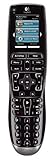
 My home cinema setup has grown over the last year. First of all I had a TV and DVD, then I added more bits and pieces and upgraded various elements. While the experience of watching a bluray is definitely enjoyable, the number of remote controls I’d ended up with was proving to be painful!
The solution was to invest in a universal remote control and since Amazon are now shipping electronics to Ireland …
First off let’s have a quick look at the home cinema gear I’m using:
The tv is a 42″ LG, there’s also a Sky+ box. Of course you have to have an AV receiver, so I’m using an Onkyo TX-SR875, which has a healthy number of inputs and outputs.
Since I like watching bluray without having to worry about region issues I have a US import Panasonic DMP-BD30 as well as a Sony BDP-S350. I’ve also got a Toshiba HD-E1 for HD DVD. And since I also like music I grabbed a CD “jukebox” on ebay which can take 6 cds (Onkyo DX-C390).
Basically you end up with one remote control per device and switching from one audio source to another, one HDMI to another etc,. means interacting with 4 or 5 of them when you simply want to move from watching the TV to watching a DVD boxset.. Painful isn’t the word!
Enter the Logitech Harmony…
It’s an elegant device which comes with a docking station and USB cable, as well as instructions and software cd. The device is roughly the same size as a normal remote control, but that’s where the parallels stop.
The docking station doubles as a charger, so you don’t have to worry about batteries “dying” (last time that happened to me the volume control kept randomly adjusting itself from whisper to deafening!).
Setup is quite easy, though it does take a good half hour to an hour to get it right.
In order to preserve your sanity I’d recommend using a laptop for the setup process, as you will need to do quite a bit of backwards and forwards between various devices and the computer in order to get the remote programmed correctly in my experience.
Loading the software onto my Mac was easy and it automatically updated itself to the latest version as soon as it was installed. Once the software was installed on my laptop it was a simple matter of adding the various devices and their model numbers and telling the system how you wanted things to interact. You can choose, for example, to have any device that is not in active use power off, thus saving on electricity.
The first time you plugin the remote via USB it will do a firmware upgrade and then transfer your presets across – or what it hopes are the correct presets. I’m sure some people are lucky enough to get it right on the first attempt, but I had a couple of minor issues sorting out the switch over to the various video inputs etc., Fortunately the remote is “intelligent” and you can “teach it” using your old remote via infrared (it has an infrared input in its base).
After the initial setup and a bit of testing and tweaking I now have a single remote that “knows” how to seamlessly switch from watching TV, to a DVD or bluray with a single touch. It automatically powers on the various devices you need, rejigs the inputs / outputs / sources etc, and powers down any device you’re no longer using.
If, as seems to happen the odd time, it can’t switch the TV over to the correct input you can easily fix it directly on the remote which has a very simple and intuitive troubleshooter.
Is this device for everyone?
Probably not, as it would be complete overkill unless you had multiple devices hooked up.
However the setup is easy. You need a bit of patience to get it right, but the Logitech software is easy to use and incredibly flexible and intuitive. The fact that you can pretty much “teach” the device using your existing remotes over infrared means that even if you don’t know what model device you are using it can probably “learn” to replicate its actions.
Am I impressed? Yes!
The only question I’m asking is why on earth I didn’t get myself one of these when I had 4 remotes!
Pricing from Amazon UK would appear to be pretty competitive






Your setup sounds great, any pictures of it all set up? You forgot the most important thing, what kind of chair do you use?
I’ve had this beauty for a while, and I’m ever so pleased with the way it does it’s job. I too had a few minor wrinkles to iron out at first, also solving them by simply overriding the database codes with the original IR-signal.
But what astonished med more than anything else when introducing this thing to my family(post wrinkles)whas the ease my 11-year old daughter used it. She picked it up, and the screen came on, and I told her to tap what she wanted to do and point at the rack. That done, she again looked at the screen, where all her channels now showed their logo, courtesy of http://www.iconharmony.com and that was that. 10 seconds, no fuss. That does NOT happen with any other remote. Period. Yes, I’ve tried a lot of them.
Even the misses now recomends it to people who come to our house! So, with all my heart, thank you Logitech!
There are other strong points as well. For one, it has a built in help-system that acutally works. TV haven’t come on? Wrong input? Hit “Help”, and woah – it works! Worst case is to answer yes/no a few times. With kids using it, that is invaluable. On the same note, the design and layout is so well thought out, it lands in your hand, and you thumb seems to know what to hit even when you’re halfway asleep.
My one negative point is that the transmit-power could have been better. Perhaps that is just a question of angles, but it happens from time to time while scrolling through the channel-list that you just hit an angle where nothing happens. It is a decidedly minute thing, corrected by merely angling the remote slightly one way or another, but one I would have liked to be spared.
Still don’t own one? Shame on you! Mistreating your family like that *tsk*
NightWaker